Name the item clearly
Use the words a seller is likely to put in the listing title, such as a brand, model, size or material.
HOW IT WORKS
Tell Flipinator what you want, where you would buy it and which marketplace to watch. New matching listings collect in Feed.
ONE SIMPLE LOOP
You make the buying decisions. Flipinator handles the repeated checking.
You can pause, edit or remove this search at any time.
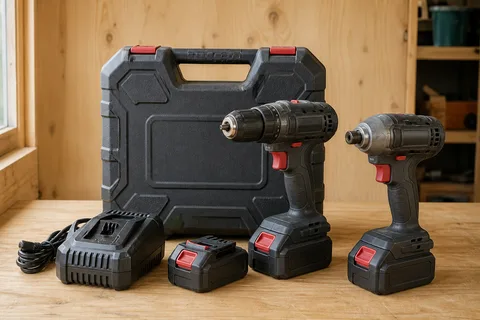
Denver, CO · Two batteries, charger and case
Open original listingMAKE THE SEARCH USEFUL
Start with the item. Then refine the parts that would make a listing worth opening.
Use the words a seller is likely to put in the listing title, such as a brand, model, size or material.
Choose a suggested city, suburb or postcode and a distance you would actually travel or collect from.
Add a maximum price, condition, required feature or unacceptable alternative only when it rules out the wrong item.
Flipinator shows the search in ordinary language so you can correct anything before it starts watching.
CLEAR RESPONSIBILITIES
Flipinator helps you notice listings. It does not contact sellers, hold money or decide whether an item is safe to buy.
ALERTS, WHEN USEFUL
Flipinator asks about browser or mobile alerts only after your first search is saved. If you leave alerts off, every match still appears in Feed.
Learn how device alerts workAFTER YOU SAVE
An active search is not a permanent commitment. Adjust it as you learn what good listings look like.
Review new matches in time order and open the original listing in one action.
Pause, resume, edit or remove each search without rebuilding it from scratch.
Manage appearance, this device’s alerts, account security, billing and deletion.
Find task-based answers or contact support when something blocks you.
No. Flipinator does not ask for marketplace passwords or sign-in codes.
No. You review the match, open the original listing, assess it and handle any contact or purchase on the marketplace.
No. Each search watches one marketplace so its location, status, results and capacity stay clear. Create another search for another marketplace.
No. Every match remains available in Feed. Browser or phone alerts are optional and appear only on devices where you allow them.
Create one focused search and let Flipinator keep watch.